Walk the room. Get the work plan.
Film a walkthrough on your phone, from 30 seconds for a small room to 5 minutes for a warehouse. SightWork counts what's there, roughly, finds what needs fixing, including the problems you didn't mention, and lays out the work in order, with proof from your own video.
Free to try in this demo. No account needed.
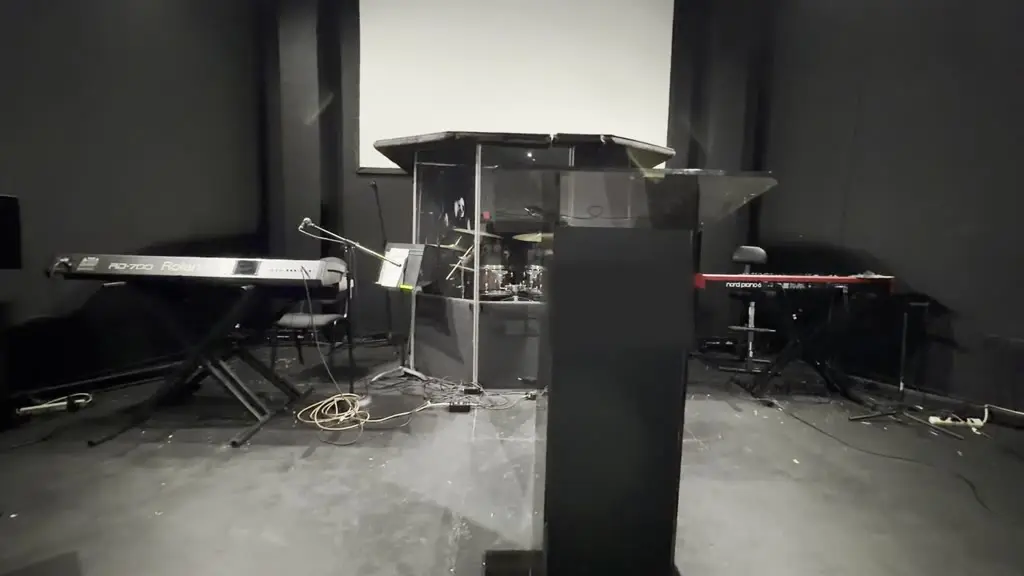 Before
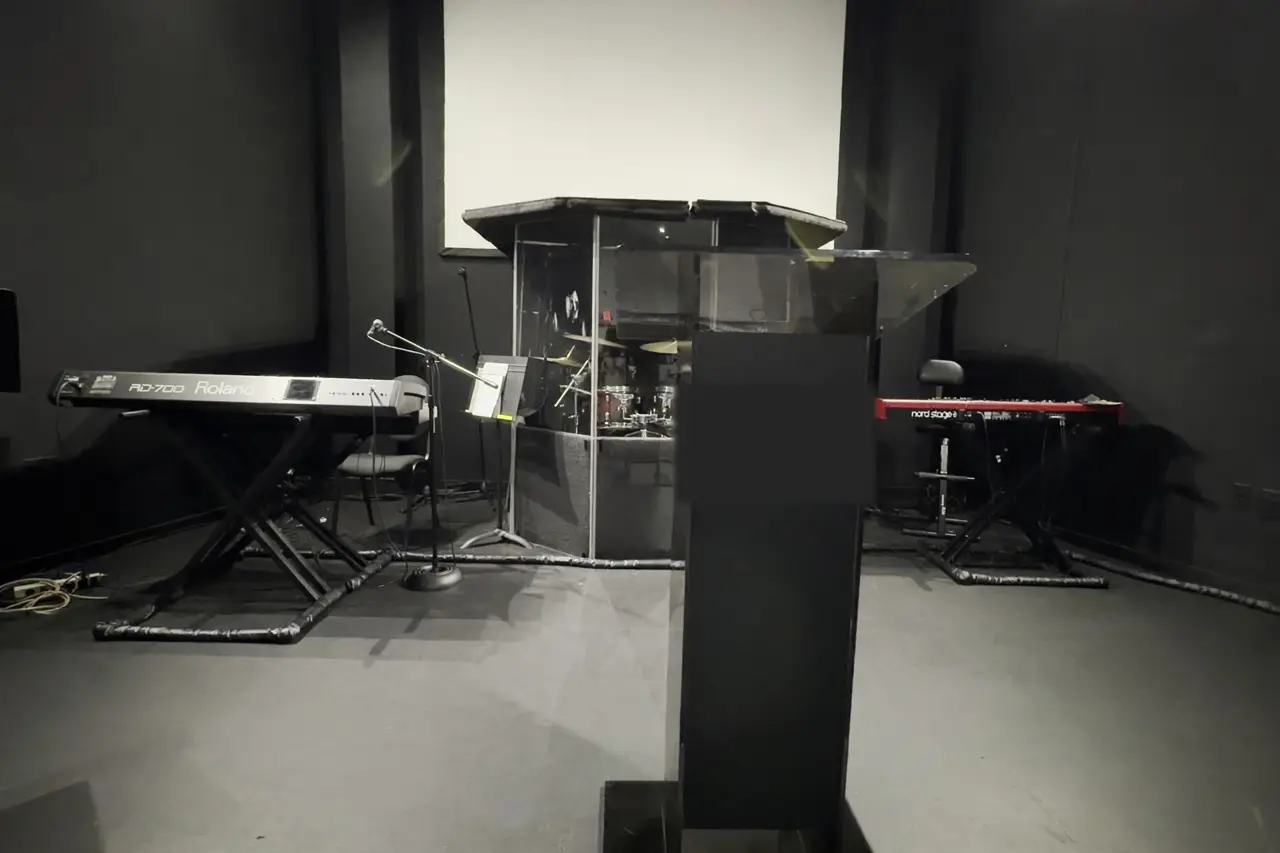 After, AI concept
Real runChurch sanctuary stage, 44 s video
- problems, worst first
- 4problems, worst first
- chairs counted
- 64chairs counted
- in model calls
- $0.38in model calls
Top problem: loose cables and extension cords across the stage floor, a trip hazard.
Most churches, schools and nonprofits have no facilities staff. They have volunteers and a phone.
SightWork turns a walkthrough into a plan a volunteer team can pick up on work day: what to fix first, who does it, what to buy, and proof from the video, ready to share or print.
- of phone video is all it takes
- 1 minuteof phone video is all it takes
- from upload to a full plan, in real runs
- 2 to 3 minfrom upload to a full plan, in real runs
- in model calls per plan ($0.38 to $0.72 so far)
- Under $1in model calls per plan ($0.38 to $0.72 so far)
- accounts, apps or site visits needed for the first look
- 0accounts, apps or site visits needed for the first look
How it works
Step 1: Film.
Walk the space slowly, edge to edge. Say what needs work if you like. A silent walkthrough works too.
Step 2: SightWork looks.
It listens to what you said, studies your walkthrough, counts what's in the room, and checks what you said against what it saw.
Step 3: Get your plan.
Usually in a few minutes: problems ranked worst first, each with a proof frame from your video, then the steps in the right order and the materials.
You mention three things. SightWork finds three more.
You said“Ceiling's opened up here, we'll need new drywall over all of this.”
SightWork sawLoose plaster and lath hanging overhead
You said“The fireplace front is cracked, I want that fixed.”
SightWork sawFacade split at the top corner
Not mentionedShutoff valve under the sink is leaking.
Sample plan on free-to-use (CC0) photos of a real kitchen renovation. The narration and plan are written by hand to show the format.
What you get
Problems, worst first.
Safety items rise to the top, each with the frame and second where it shows.
What you said vs. what we saw.
Every request matched to the video, plus anything you missed.
Counts.
Fixtures, furniture, equipment and more, counted from the video as an approximate range.
Work steps in order.
Fix the leak before the ceiling tile. Who does it, about how long, and what it fixes.
Materials.
A shopping list for the work.
Ready for work day.
Tick steps off as they're done, send the plan to your team, add the steps to a calendar, or have it read aloud where your browser can speak.
Plus: save the whole plan as a PDF to share with your team.
Who it's for
Facilities and property teams.
A consistent first look at any room, with photos attached.
Small contractors and handypeople.
Scope a job from a walkthrough before you price it.
Schools and campuses.
Classrooms, gyms and auditoriums checked before the next term.
Churches and nonprofits.
Turn a walkthrough into a volunteer work-day list.
Built on Meta's models
Four Meta models, one job each, chained into one agent run. Every plan ends with a “Powered by Meta AI” panel that says which model did each step and whether it ran.
- 1. Listen
Muse Voice Transcribe
Turns what you say on the walkthrough into text, with timestamps.
- 2. Look and count
SAM 3.1
Outlines and counts what's in the room, frame by frame.
- 3. Compare, plan, review
Muse Spark Open
Checks what you said against what it saw, writes the plan, then reviews every problem against its photo. Meta open weights, on Baseten.
- 4. Picture
Muse Image
Draws an AI concept of the finished space.
Live config and safeguards: status page.
Built for the Meta AI Developer Hackathon 2026.
The honest fine print
- Counts are approximate, from what the camera saw.
- Your video's frames and narration are sent to the AI providers to build your plan, and we don't keep a copy on our servers. The finished plan is saved on your device.
Your next walkthrough could be a work plan.
Grab your phone, walk the space for a minute, and see what SightWork finds.